
Your capacity review shows that every team is allocated close to 100%. The next plan assigns every available hour, and nobody appears to be waiting for work.
Then, you look at the delivery status and find that several initiatives are slipping.
Full allocation gets treated as evidence that capacity is being managed well. Delayed work gets treated as a separate problem that needs further investigation. Here’s the thing: these two results are connected.
When you compare resource allocation vs flow metrics, you compare whether people have work assigned with whether that work is moving. These are not the same measure of health.
Your resource plan can show that everybody is busy while the work waits between them. If you want to understand why your delivery is slipping, you need to look at the work itself.
Full Allocation Can Prevent Work From Moving
A plan that assigns every paid hour can look responsible. Payroll is the biggest line in the budget, so leaving capacity unassigned can look like you’re wasting money.
However, your company doesn’t make money by keeping people busy. It gets paid for delivering results and achieving business outcomes.
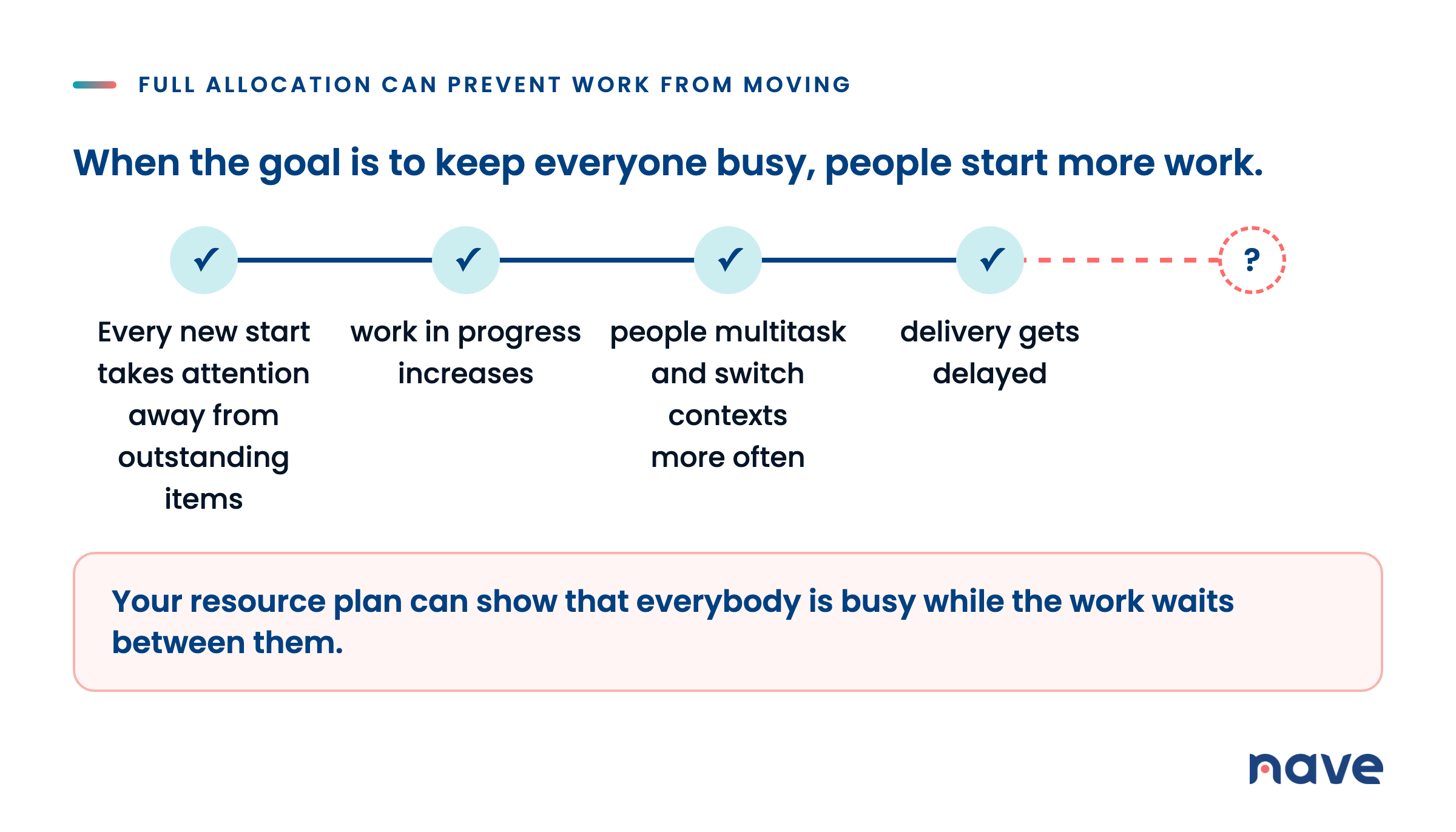
When the goal is to keep everyone busy, people start more work. Every new work item takes attention away from outstanding items. As a result, work in progress increases, people multitask and switch contexts more often, the pressure on the team grows, and delivery gets delayed.
A plan with no spare capacity has no way to absorb a change, either. An urgent request arrives. An item comes back from testing. A dependency becomes available later than planned. If every person is already committed, that work has to wait.
Your allocation report can still show that everyone has work assigned. What it cannot show is the queues forming between people. The report was designed to describe how people are allocated, not how the work moves.
Spare capacity doesn’t mean that people have nothing useful to do. Set explicit policies for how your team should use that capacity. They can learn new skills, try new tools, or improve the process. When an urgent request or a returning item needs attention, the same capacity can absorb it.
Maximizing individual allocation and improving workflow efficiency are two different goals. Pursuing the first can prevent you from achieving the second.
Flow Metrics Show Whether Work Is Progressing
If an allocation percentage cannot tell you whether your delivery plan will hold, examine how the work moves through the workflow.
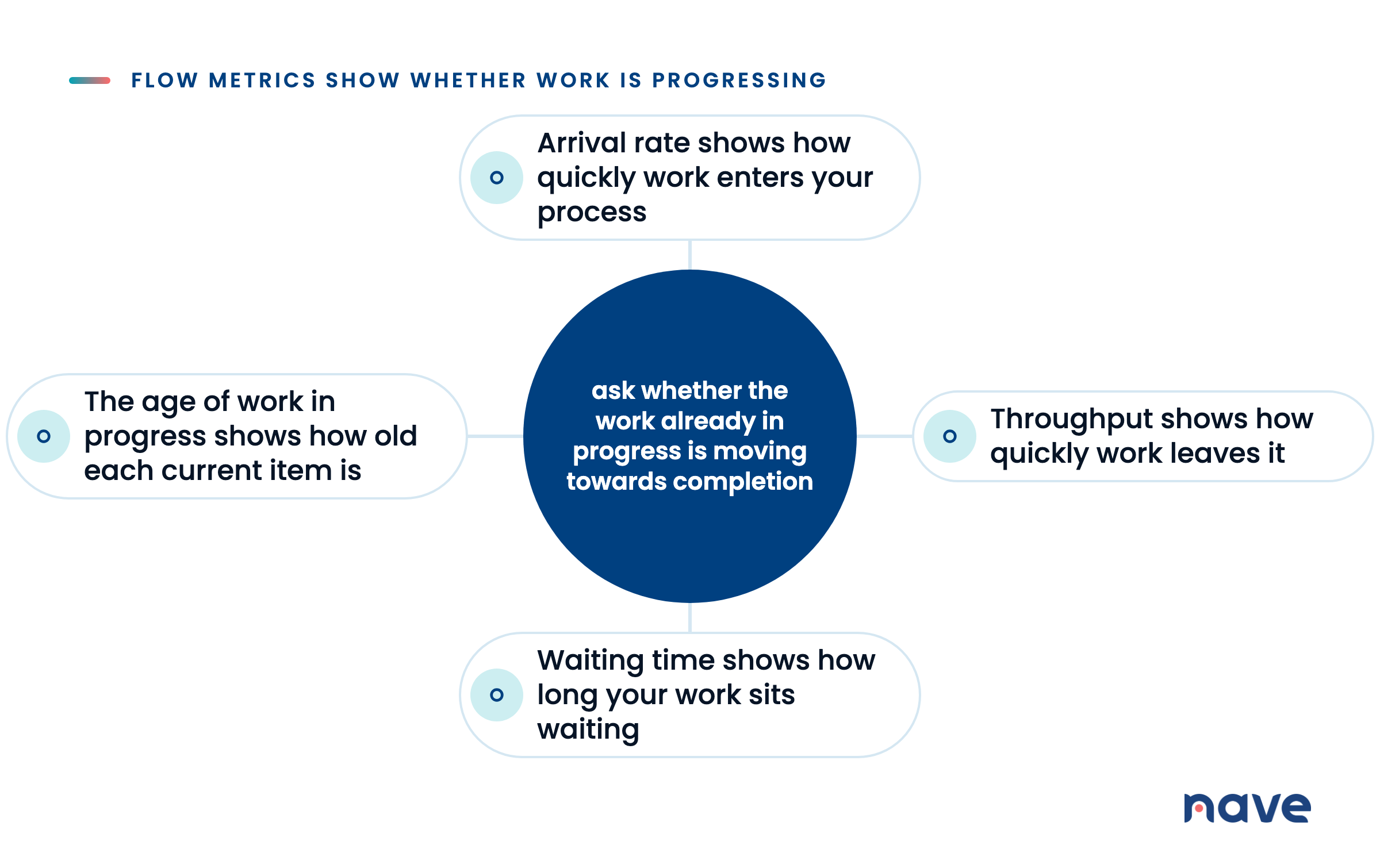
Start with arrival rate and throughput. Arrival rate shows how quickly work enters your process. Throughput shows how quickly work leaves it.
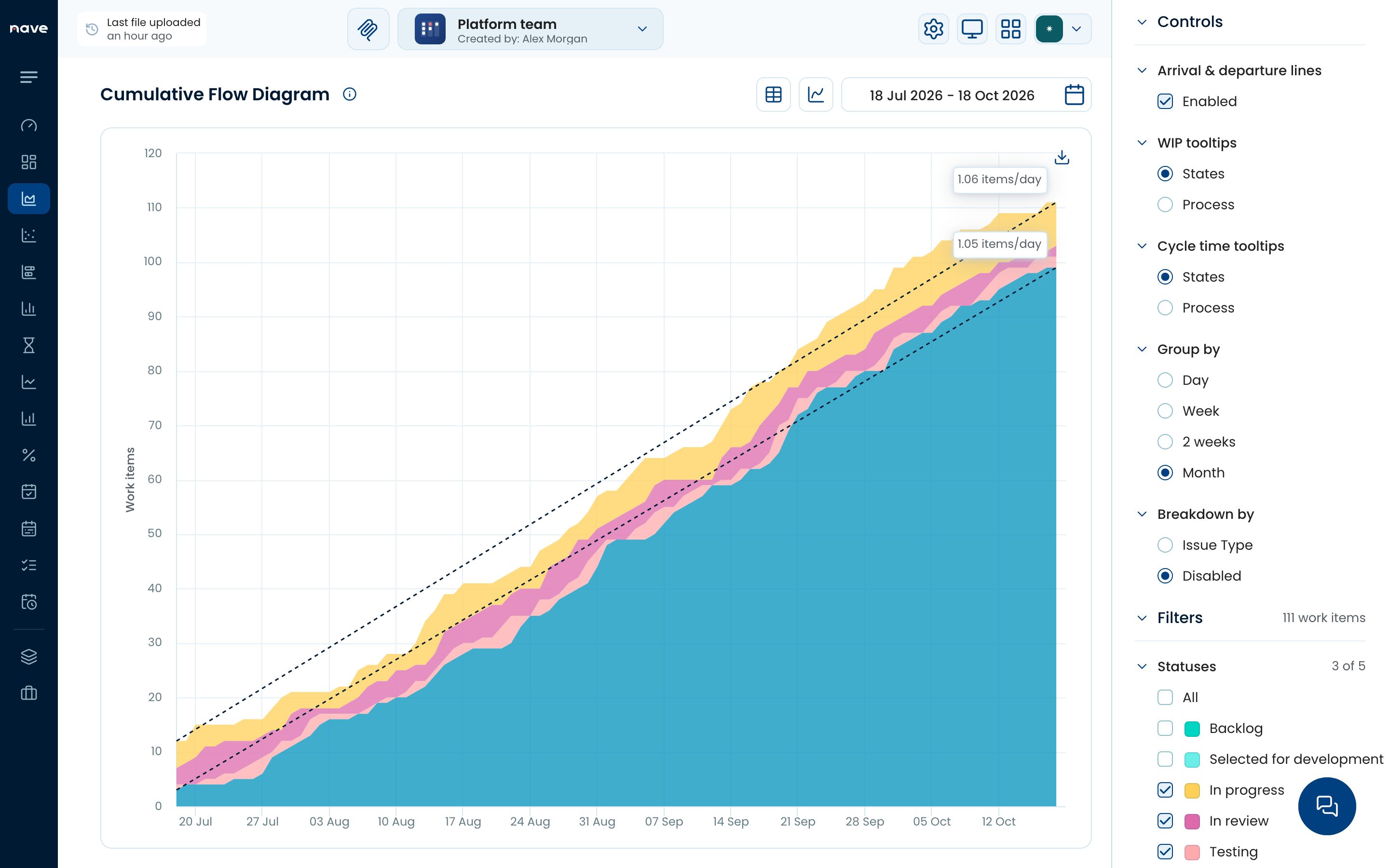
The cumulative flow diagram in Nave. Learn more at getnave.com.
A cumulative flow diagram displays the relationship between these two measures. The top line tracks arrivals, while the bottom line tracks departures. The vertical distance between those lines represents all the work in progress inside your workflow.
When work arrives and leaves at the same rate, the lines grow together and the distance between them remains stable. This means that the workflow is processing demand at the same rate it enters.
When the distance expands, work is arriving faster than it leaves. Work in progress grows, and items wait between process states. Starting more work simply adds to the queue instead of helping your team finish the outstanding items.
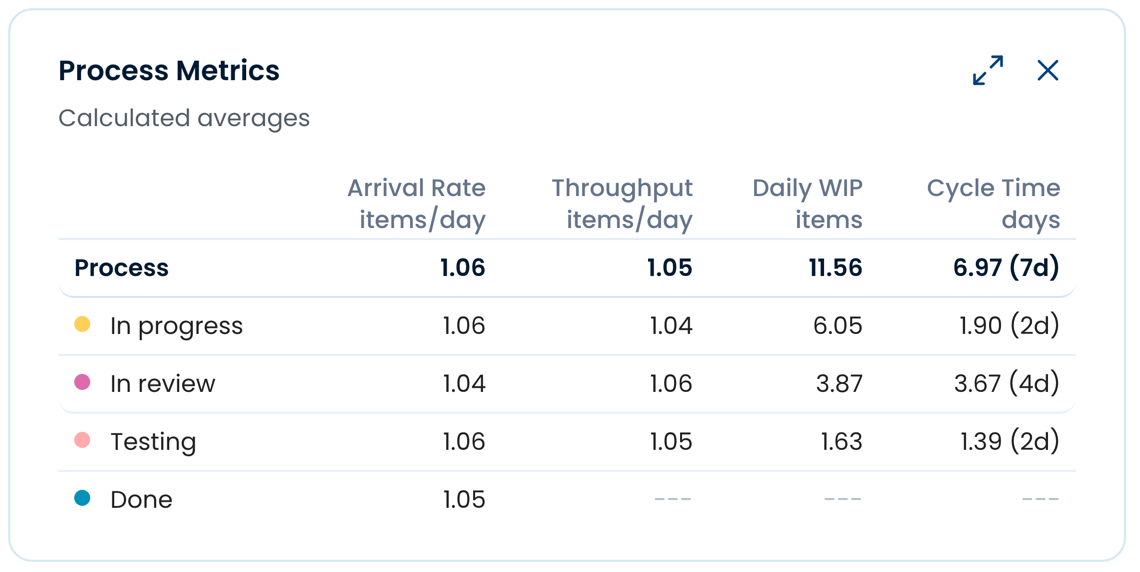
The Process Metrics card in Nave, on the cumulative flow diagram page, shows calculated averages for 18 Jul to 18 Oct 2026. Across the whole process, the arrival rate is 1.06 items per day, throughput is 1.05 items per day, daily WIP is 11.56 items, and cycle time is shown as 7 days. Learn more at getnave.com.
Your allocation percentage can remain at its ceiling while the distance between those lines continues to grow. Once the percentage reaches 100%, it cannot increase any further to warn you that work is accumulating.
So, instead of asking whether every person has enough work assigned, ask whether the work already in progress is moving towards completion.
Put the Movement of Work Into Your Delivery Review
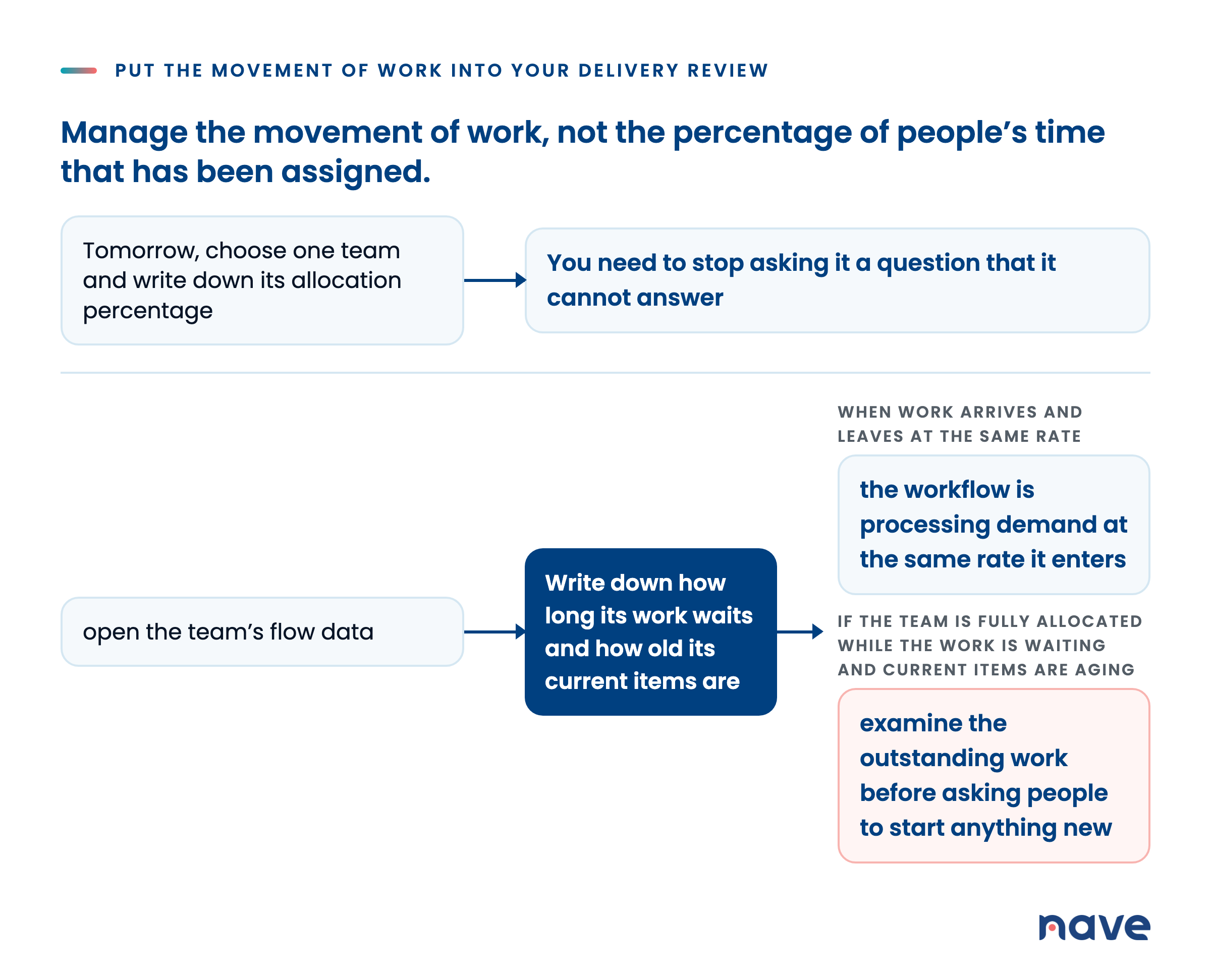
You don’t need to discard your resource plan. You need to stop asking it a question that it cannot answer.
Tomorrow, choose one team and write down its allocation percentage.
Then, open the team’s flow data. Write down how long its work waits and how old its current items are.
Put these measures beside the allocation percentage in your next delivery review. If the team is fully allocated while the work is waiting and current items are aging, examine the outstanding work before asking people to start anything new.
Nave helps delivery teams manage their workflow, identify aging work and outliers, examine workflow stability, and use past performance to support delivery decisions. Learn more at getnave.com.
I’ll see you next week, same time and place for more managerial goodness. Bye for now!