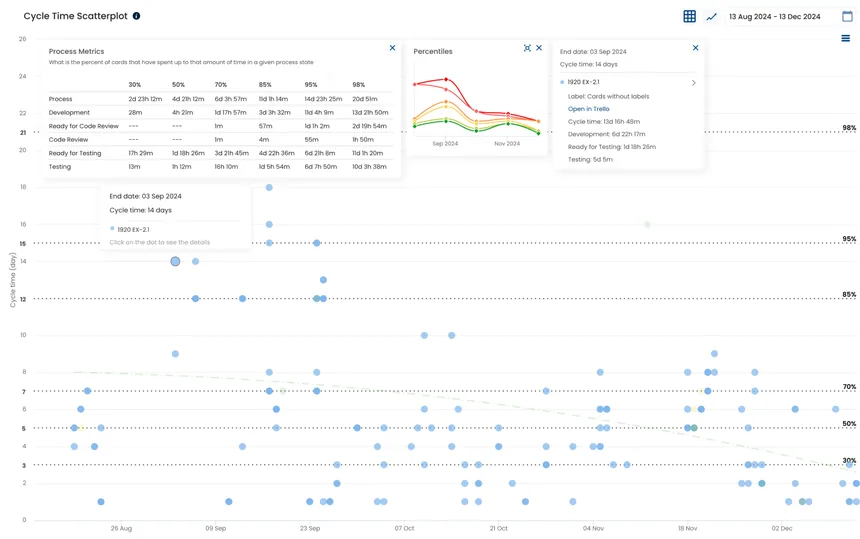
Cycle Time Scatterplot
Open the Cycle Time Scatterplot to forecast work using past performance data and make probabilistic forecasts for a work item.
What it answers
Are we meeting commitments?
See how often work is delivered on time and identify the reasons behind delays.
Example

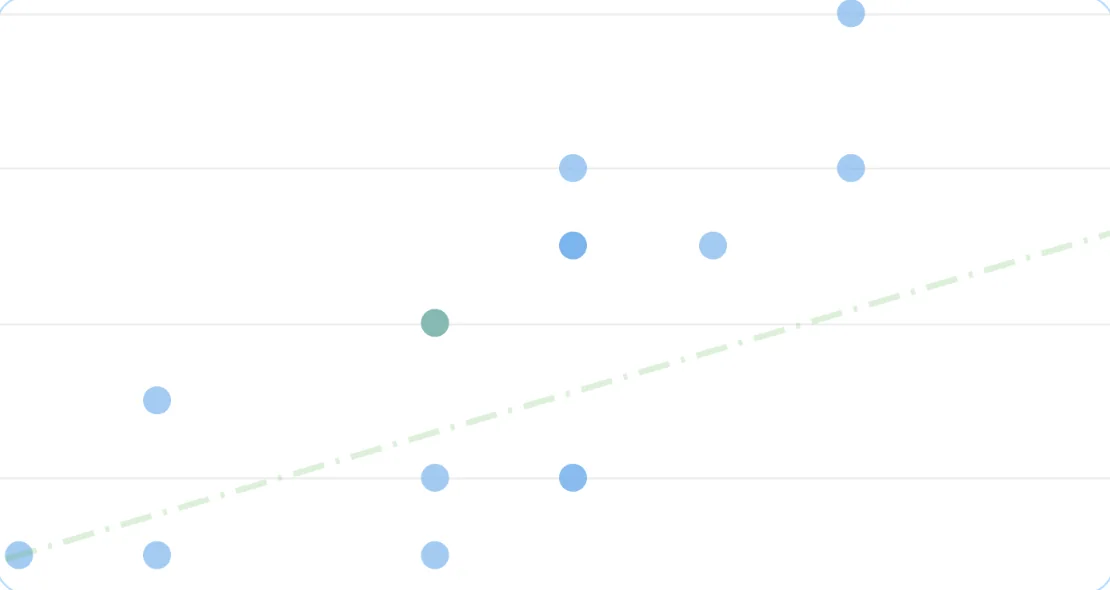
Each dot represents a completed work item on your board.
The horizontal axis shows the cycle time of each completed work item.
The vertical axis shows the predicted time of each completed work item.
The regression line runs roughly through the middle of all completed tasks. Its slope shows the correlation between predicted time and actual completion time.
The Due Date Performance Chart compares the time between a task’s start date and due date with the actual time taken to deliver it.
Each dot represents a completed work item on your board. The horizontal axis shows cycle time, and the vertical axis shows predicted time.
Due-date performance measures reliability and reflects the quality of your initial forecast. More stable systems produce more reliable forecasts.
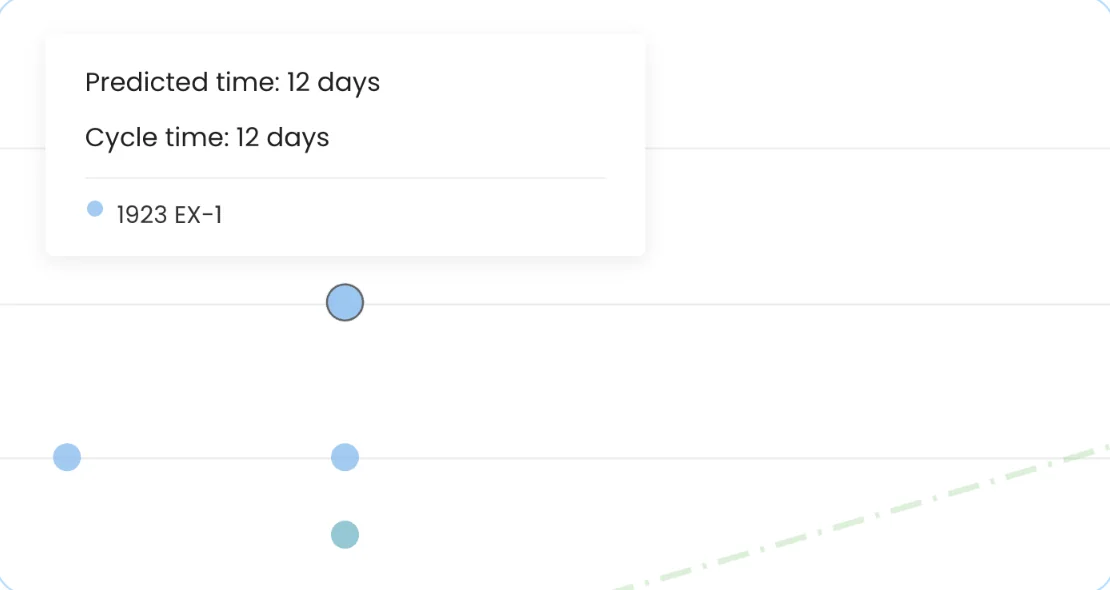
Filter completed work by ‘On-time work items’ or ‘Overdue work items’ to analyze the reasons behind delays.
Predicted time is the difference between when a task entered your workflow and its due date. Completion time is the difference between the same starting point and the task’s actual done date.
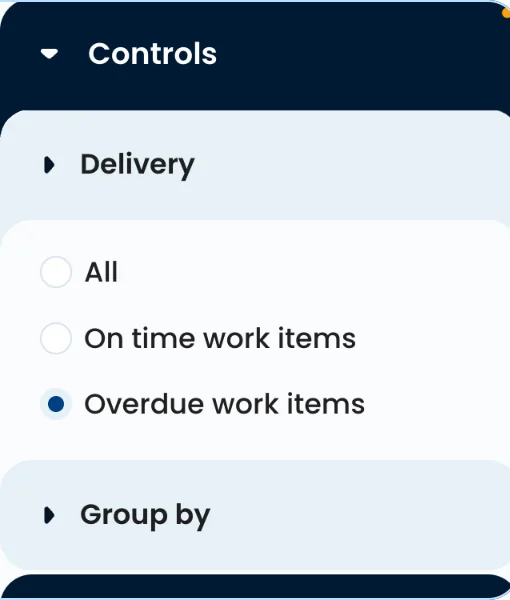
Click a dot to see the task’s total cycle time, predicted time, cycle time in each process state, and a direct link to your management system.
Analyze overdue tasks individually. Pay particular attention to the states with the longest cycle times to identify bottlenecks and opportunities for improvement.
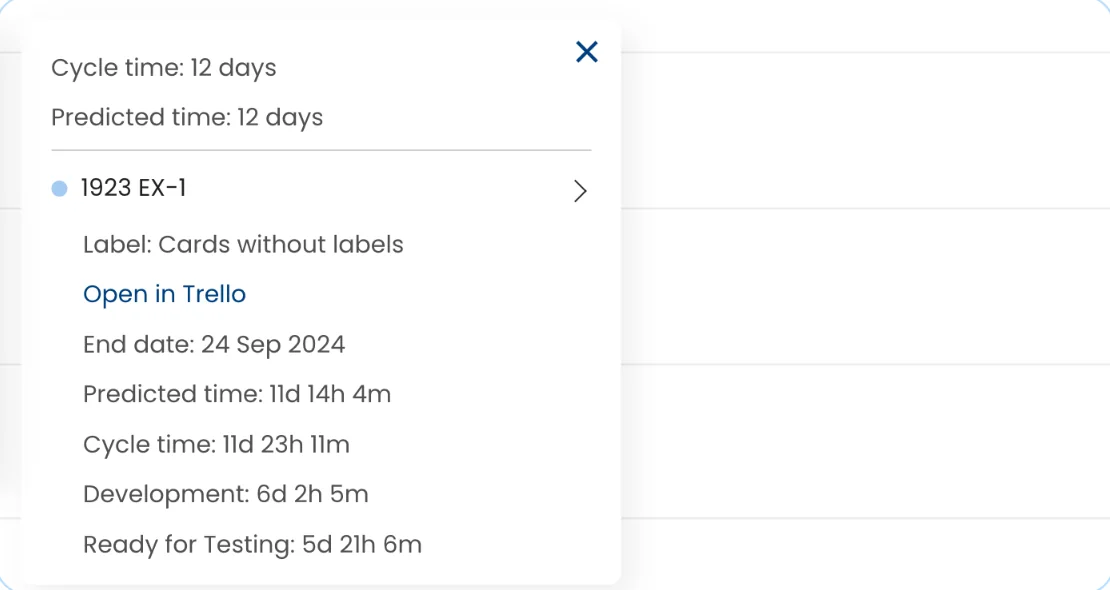
The regression line runs roughly through the middle of all completed tasks. Its slope shows the correlation between predicted time and the actual time spent finishing the work.
Use the due date regression line to assess the accuracy of your predictions and evaluate how efficiently your system is running.
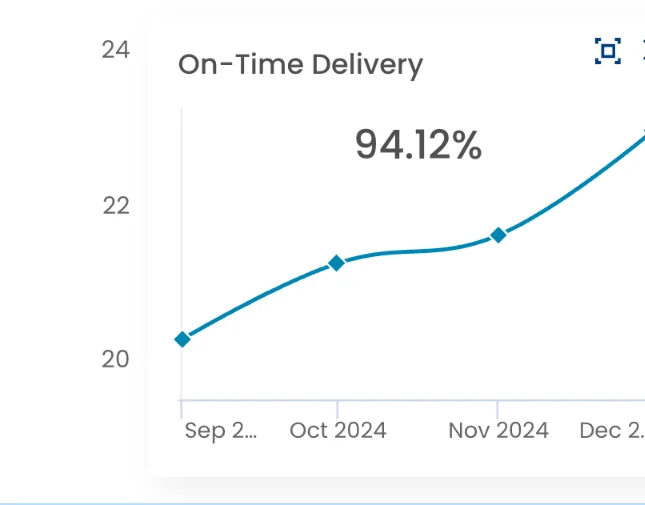
The ‘On-Time Delivery’ widget shows the percentage of work delivered before its due date. It also shows how your due date performance trends have developed over time.
Assess whether your work has been delivered on time. A low percentage means your initial predictions are not reliable. In that case, consider forecasting with past performance data using the Cycle Time Scatterplot.
You can export the filtered data shown in this chart as a CSV.
The ‘On-Time Delivery’ widget shows how your due date performance trends have developed over time. A declining trend means fewer of your recent deliveries are meeting their due dates.
In overdue tasks, pay particular attention to the process states with the longest cycle times. These can point to bottlenecks and opportunities for improvement.
A low ‘On-Time Delivery’ percentage means your initial predictions are not reliable.
Open the Cycle Time Scatterplot to forecast work using past performance data and make probabilistic forecasts for a work item.
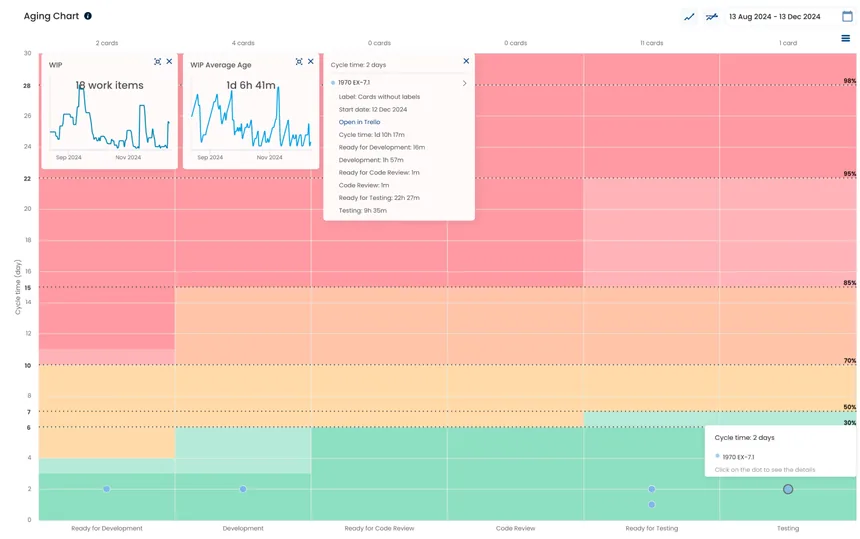
Open the Aging Chart to see where tasks are in your process and how much time they have already spent in progress.
Connect your existing delivery data and start exploring your flow.